
Cornell Notes vs. Mind Maps vs. Timestamps for Recorded Lessons
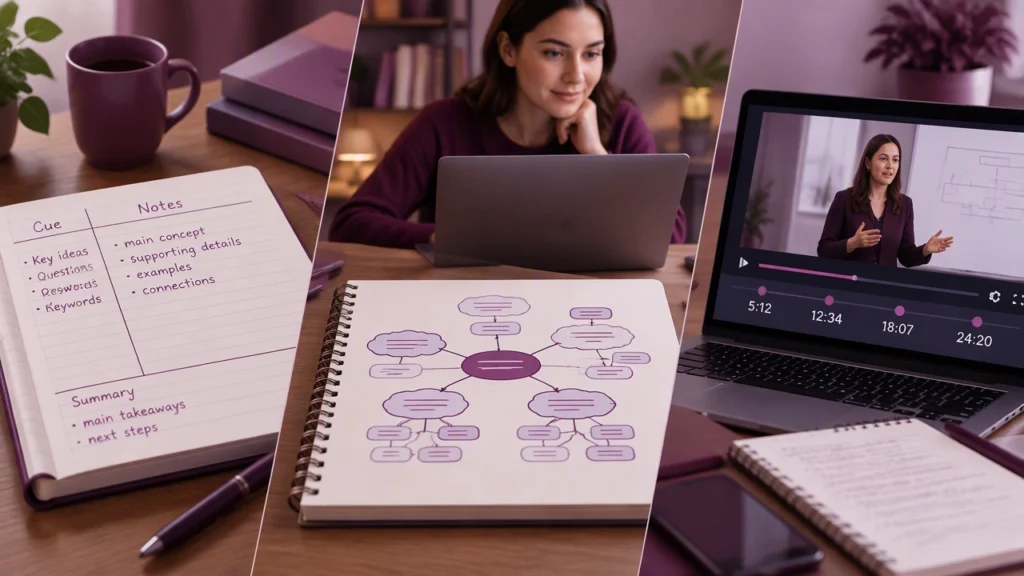
Learning on the internet often means learning from a recording: a lecture, tutorial, webinar, or demonstration you can pause, rewind, and revisit. The advantage of a recorded lesson is control, but that control only helps when your notes let you find ideas again. Three approaches stand out: Cornell notes, mind maps, and timestamps. Each captures a different layer of the lesson, and the strongest system is often a deliberate combination.
Cornell notes: structure for explanation and review
The Cornell method divides a page into three regions: a narrow cue column, a wider notes area, and a summary at the bottom. While the video plays, you record facts, steps, and examples in the notes area. Afterward, you turn the material into questions or prompts in the cue column and write a short synthesis in the summary.
For recorded lessons, this structure works especially well when the instructor explains concepts in a linear sequence. You can capture definitions, causes, processes, and conclusions without copying every sentence. The cue column becomes a self-test: cover the notes, read the prompt, and answer from memory. Because the video can be paused, you have time to phrase prompts precisely rather than racing to keep up.
Cornell notes are strongest for material you need to explain, recall, or prepare for an exam. They are less effective if the lesson jumps rapidly between unrelated topics or if the visual information is mostly diagrams, code, or spatial relationships. In those cases, the neat left-right structure can force ideas into a shape they do not naturally fit.
Best use cases for Cornell notes
- Concept-heavy lectures with clear cause-and-effect sequences
- Lessons you will review through active recall
- Topics that need precise definitions, formulas, or procedures
Mind maps: structure for relationships and big pictures
A mind map starts with a central idea and branches outward into subtopics, examples, and links. Instead of following the lesson from top to bottom, you organize it by relationship. A branch might represent a theme, a category, a problem, or a stage in a process. Arrows and color can show dependencies, contrasts, or recurring patterns.
Mind maps suit recorded lessons that connect many ideas at once. If a video introduces a framework, compares approaches, or shows how parts of a system interact, a map lets you see the whole structure without losing the details. It also helps when you want to generate questions, spot missing links, or plan an essay from the material.
The main risk is decoration without thinking. A visually attractive map can still be shallow if it merely copies headings from the screen. To make it useful, label branches with relationships rather than isolated words: “causes,” “contrasts with,” “measured by,” or “example of.” Keep each branch short, and use the video’s pause control to decide where a branch belongs before adding it.
Best use cases for mind maps
- Interdisciplinary topics with many connected concepts
- Comparisons, taxonomies, and process diagrams
- Brainstorming before a discussion, presentation, or assignment
Timestamps: structure for retrieval and rewatching
Timestamps are the most practical form of note taking for recorded lessons. Instead of writing only what was said, you record when it was said. A simple entry might pair a time with a short label: 12:40 — difference between correlation and causation. The label tells you why the moment matters; the time tells you where to return.
This method shines when the video is long, dense, or hard to search. It reduces the pressure to transcribe everything during the first viewing. You can capture the lesson’s map through headings, then add timestamps beside the moments that deserve a second look. Later, your notes become a route back to the source rather than a detached summary.
Timestamps are especially valuable for demonstrations, technical walkthroughs, and lessons where the instructor’s exact wording, calculation, or on-screen example matters. They also work well with chapters, transcripts, and search functions, because a short phrase can be paired with the time marker for quick retrieval.
Best use cases for timestamps
- Long or information-dense recordings
- Step-by-step tutorials and worked examples
- Material you will revisit selectively rather than reread completely
How to choose among the three methods
Choose Cornell notes when your goal is to understand and recall an explanation. Choose a mind map when your goal is to see relationships and reorganize the material. Choose timestamps when your goal is to retrieve specific moments without watching the entire video again. The question is not which method is universally best, but which layer of the lesson you need to preserve.
A useful starting point is to ask what you will do with the notes tomorrow. If you need to answer questions, build prompts into a Cornell page. If you need to compare theories or outline a response, branch the ideas into a map. If you need to find the exact example your instructor gave, mark the time and add a one-line description.
A combined workflow for online video lessons
For most learners, a layered approach is more reliable than choosing one method forever. Use a first pass for orientation: watch at a comfortable speed and add timestamps beside key moments, demonstrations, and claims you may need again. Use a second pass for meaning: convert the material into Cornell notes or a mind map, depending on whether the content is sequential or relational.
Keep the systems connected. In a Cornell page, place timestamps in the cue column so each question points back to the source. In a mind map, add a time marker to branches that come from a complex demonstration. This small link prevents your notes from becoming a parallel textbook that loses touch with the lesson.
Finally, review actively. Cover the notes and answer the Cornell prompts, trace a mind map from memory, or use timestamps to rewatch only the sections that caused confusion. The best note taking methods for watching online video lessons are the ones that make the next session shorter, clearer, and easier to start.